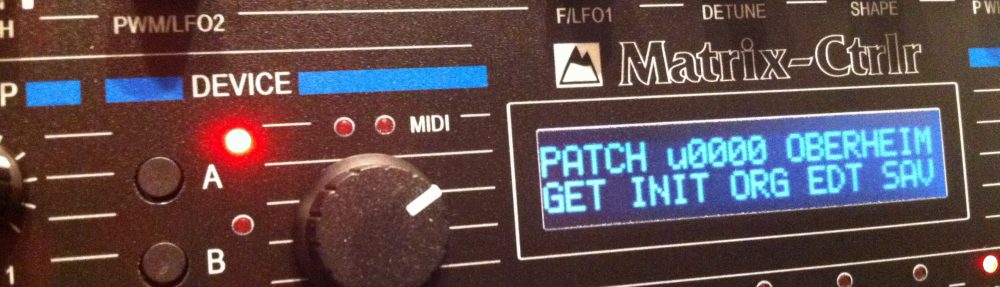

Test Mode

A Test Mode has been implemented since firmware 1.04 in order to test the unit while building it.

Pressing F1 and F2 and Power On unit load to Test Mode.

This allows you to test the switchs and LEDs and potentiometers of the interface.
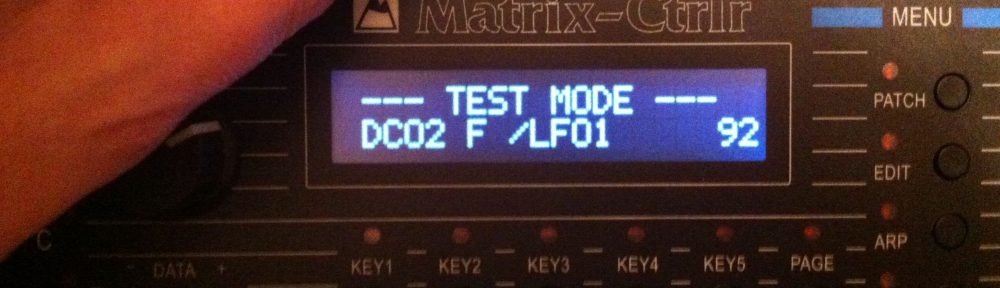
Pressing a switch highlights the LED next to it. Moving a potentiometer shows its position between 0 and 127. The display is used to show you the action. It does output similar messages through Serial USB too (115 KBauds). This allows you to see which switch/LED is defective or which potentiometer has jitter (99% it is an unsoldered potentiometer).


Pressing KEY2 and KEY3 and KEY4 reboots the System (and leave Test Mode).


Moreover a permanent test has been implemented to test the Midi connection by SysEx messages. The following messages need to be sent to the Matrix Ctrlr Midi Core input :

The Ctrlr answers on its display to those two messages ????



Recent Posts

Voices allocator : midi router for 4 devices

Dear Folks,

During the last summer we have hired a new specialist at the lab : ChatGPT ! And it has helped us to develop a midi router : 1 input / 4 outputs for dispatching up to 24 notes on 4 similar devices.

The existing owners of the Matrix Ctrlr and several Oberheim Matrix 1000 will instantly understand the benefits of this router !

For the moment it is an independant firmware that works with the circuitry of the Matrix Ctrlr. The goal is to include this app in the firmware of the Matrix Ctrlr. You navigate the app using the encoder and clic to enter or return from the menu

The 4 devices can be combined to work as 6 stereo voices, 12 voices or even 24 mono voices for example. Those behaviour are named routingMode and the encoder set the value

There is one main midi channel that can be set by the encoder and you have several pages of menus, one being the Voices allocation monitor

_____________________________________________________________________

Lecture des paramètres persistants :

`routingMode` depuis l’EEPROM (adresse 42).
`filter_channel` depuis l’EEPROM (adresse 43).
Configuration de l’encodeur + bouton poussoir (pin 4).
Initialisation des 5 ports MIDI (1 IN, 4 OUT).
Liaison des callbacks pour `NoteOn`, `NoteOff`, `ControlChange`.

### 🎚️ Modes de routing MIDI (switch `routingMode`)

| Mode |             Description                                           | Canaux traités |
| —- | ————————————————- ——  | ————– |
| 0    | 6 notes par port, ports 0–3 = ch1–4                     | ch 1, 2, 3, 4 | Quartet Mono
| 1    | 12 notes canal x (port 0/1), 12 sur x+2 (2/3)         | ch x et x+2 | Dual Mono
| 2    | 18 notes canal x (ports 0/1/2), 6 sur x+3 (port3)   | ch x et x+3 | Duo Stereo
| 3    | 6 notes unisson ports 0/1, puis 2/3                      | canal x |  Solo Stereo
| 4    | Duplication 6 notes sur 4 ports                             | canal x | Unison Mono
| 5    | 24 notes sur canal unique, réparties sur 4 ports   | canal x | solo 24 notes Mono


_____________________________________________________________________

We even pushed the thing by implementing an arpegiator but the display interface isn’t ready yet ..

You can download the midi Router below and test it in your Matrix Ctrlr. You’ll use the USB update method

Midi_Router_Sustain_FltrChannel_mode7CC1jaugesPC_OK.ino.with_bootloader.mega.hex

It does pass Control Change, Program Change, Pitch Bend, Sustain pedal, Poly & Aftertouch. You can test it and give us feedbacks


Latest Matrix Ctrlr 1.42d firmware below :

Matrix_Ctrlr_v1.42d.ino.with_bootloader.mega.hex

  1. Matrix Ctrlr : SOLD OUT 2024 4 Replies
  2. Matrix Ctrlr : restocking 2 Replies
  3. !!! Black Friday ’23 Sales !!! 8 Replies
  4. last batch of Matrix Ctrlr Leave a reply
  5. extra sales Leave a reply
  6. Special offer on Matrix Ctrlr kit Leave a reply
  7. SOLD OUT ! Leave a reply
  8. Stock and availability July 2022 1 Reply
  9. Matrix Ctrlr firmware v1.42 Leave a reply