
Troubleshoots

Troubleshoots

Resulting from customers building experience on several Matrix Ctrlr, here are the common possible problems you could encounter and their symptoms/solutions. It’s a good idea to use sockets for ICs as this allows you to swap a component by another one (there are usually several same units on the Kit for a given value) and decide whether or not it’s defective.

It’s also a good idea to check your soldering first as it is the main cause of trouble.

All LEDs have been tested before shipping (to sort them regarding their dimming characteristics). ICs have always been protected in antistatic containers. Other components have been stocked in antistatic drawers or boxes (no plastic bags).

It appears that some 74HC165s from the first batch are randomly defective (certainly a factory bad batch) after several hours of use. Here is a screen shot :
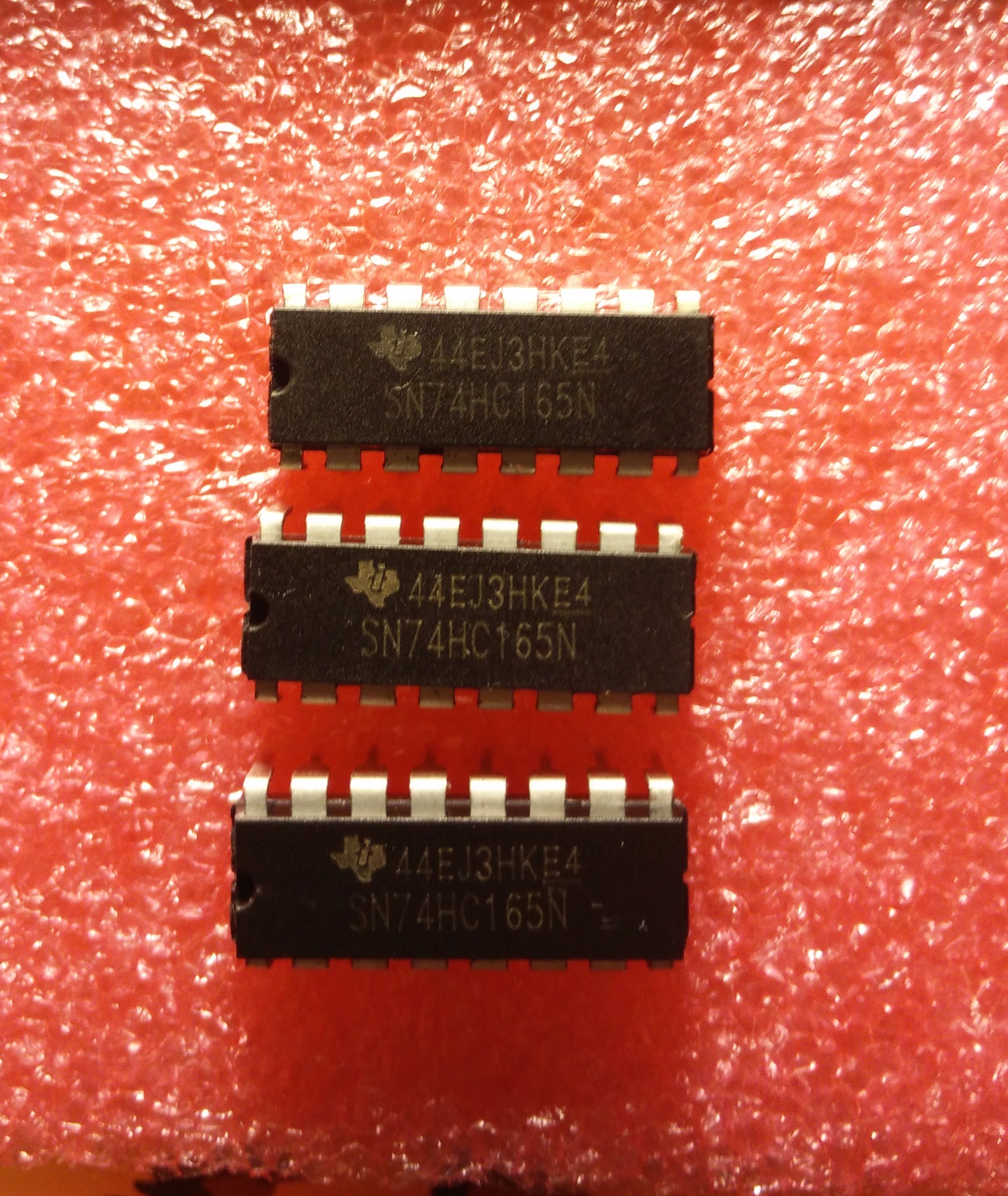
It’s strongly advised to use sockets for those shift registers in order to swap them for new ones when needed, in the future.

Random messages on screen corresponding to potentiometers parameters controls :

  • one or several pots are defective (stress while snapping caps) : replace for a brand new pot
  • bad or missing soldering on pot terminals or CD4051 : solder better !
  • wrong orientation of CD4051 : remove and replace (swap with another one available)

LED not working :

  • wrong orientation of LED : desolder and solder it right back
  • attached RLed badly soldered (cold solder joint) : better solder
  • check soldering on 74HC595 pins

Switches not working :

  • check soldering of switches and 74HC165 sockets.
  • 74HC165 defective : replace it.

MIDI IN not working :

  • check 6N138 orientation
  • check D18, D35 orientation
  • replace 6N138 (swap two units)

LCD not working :

  • check soldering of P1 (critical step) on the LCD and on the Mainboard !
  • check orientation of LIGHT1 and CTRST1 trimmers regarding their footprint. If you invert them they still work but clockwise turn becomes counter clockwise turn.
  • check PSU and voltages on Ctrlr : +9V DC on input and +5V DC on board.

I had fried the voltage regulator of an iDuino Mega using another old power supply brick wall. The LCD was completely white (too much contrast and voltage on board was 12V). The Ctrlr had an erratic behavior. But the iDuino was still working by USB supply after that ! From this experience, i can tell that the Matrix Ctrlr is rather resistant to voltage stress as nothing was defective after iDuino board replacement.

The PSU furnished by Alpes Machines is new and good quality. The one of your Guitar pedals could be hazardous …
Recent Posts

Voices allocator : midi router for 4 devices

Dear Folks,

During the last summer we have hired a new specialist at the lab : ChatGPT ! And it has helped us to develop a midi router : 1 input / 4 outputs for dispatching up to 24 notes on 4 similar devices.

The existing owners of the Matrix Ctrlr and several Oberheim Matrix 1000 will instantly understand the benefits of this router !

For the moment it is an independant firmware that works with the circuitry of the Matrix Ctrlr. The goal is to include this app in the firmware of the Matrix Ctrlr. You navigate the app using the encoder and clic to enter or return from the menu

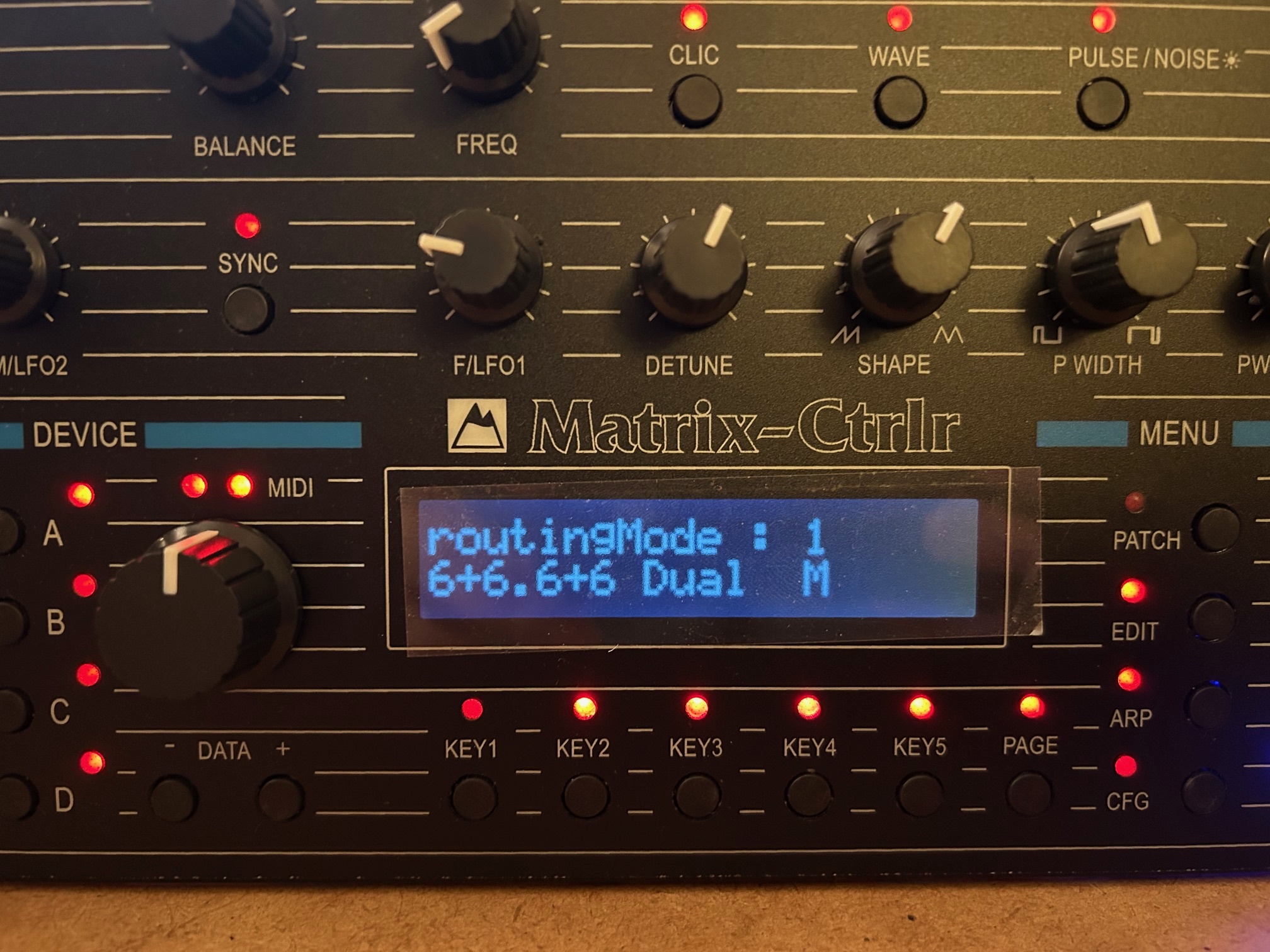
The 4 devices can be combined to work as 6 stereo voices, 12 voices or even 24 mono voices for example. Those behaviour are named routingMode and the encoder set the value

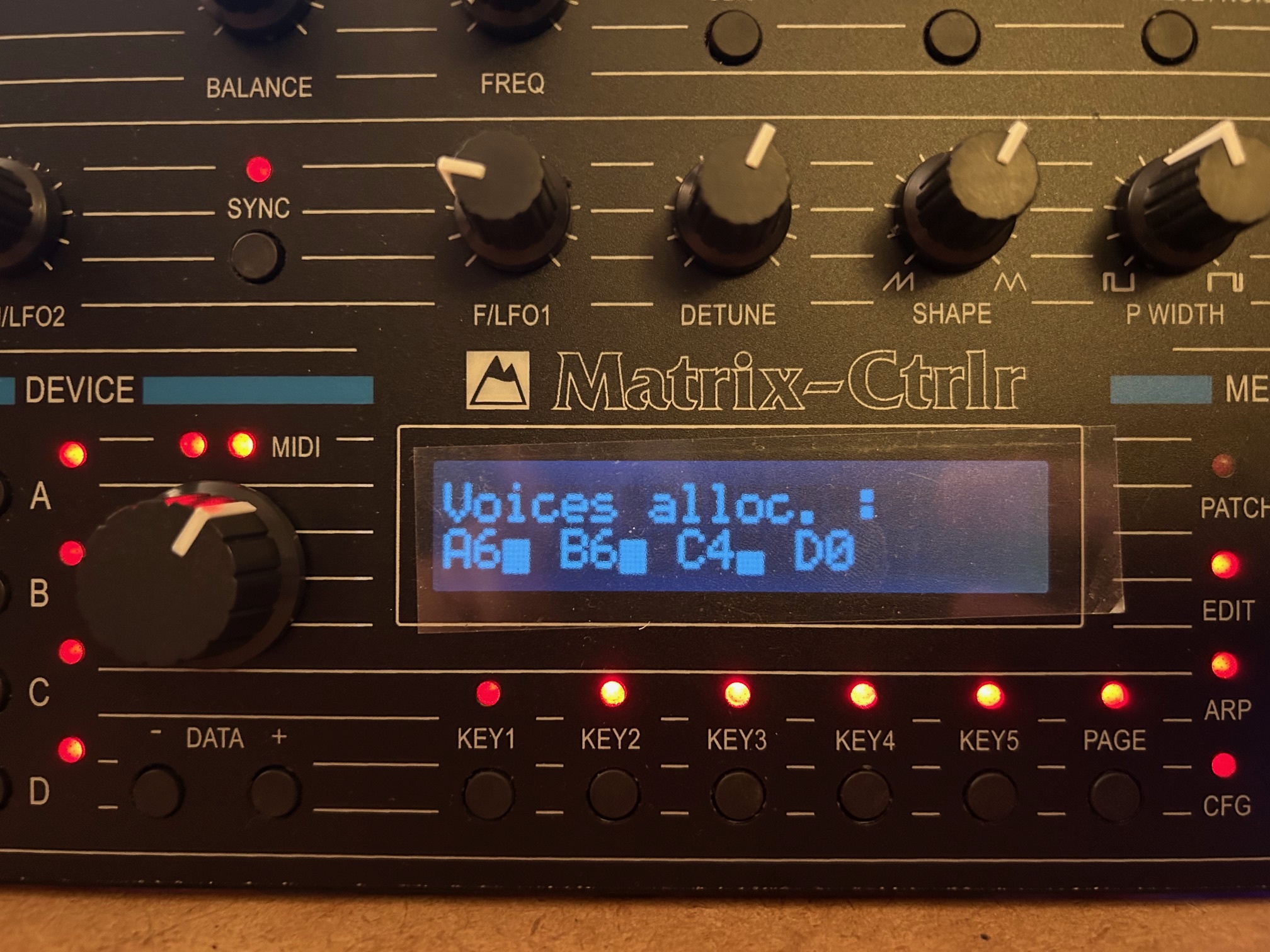
There is one main midi channel that can be set by the encoder and you have several pages of menus, one being the Voices allocation monitor

_____________________________________________________________________

Lecture des paramètres persistants :

`routingMode` depuis l’EEPROM (adresse 42).
`filter_channel` depuis l’EEPROM (adresse 43).
Configuration de l’encodeur + bouton poussoir (pin 4).
Initialisation des 5 ports MIDI (1 IN, 4 OUT).
Liaison des callbacks pour `NoteOn`, `NoteOff`, `ControlChange`.

### 🎚️ Modes de routing MIDI (switch `routingMode`)

| Mode |             Description                                           | Canaux traités |
| —- | ————————————————- ——  | ————– |
| 0    | 6 notes par port, ports 0–3 = ch1–4                     | ch 1, 2, 3, 4 | Quartet Mono
| 1    | 12 notes canal x (port 0/1), 12 sur x+2 (2/3)         | ch x et x+2 | Dual Mono
| 2    | 18 notes canal x (ports 0/1/2), 6 sur x+3 (port3)   | ch x et x+3 | Duo Stereo
| 3    | 6 notes unisson ports 0/1, puis 2/3                      | canal x |  Solo Stereo
| 4    | Duplication 6 notes sur 4 ports                             | canal x | Unison Mono
| 5    | 24 notes sur canal unique, réparties sur 4 ports   | canal x | solo 24 notes Mono


_____________________________________________________________________

We even pushed the thing by implementing an arpegiator but the display interface isn’t ready yet ..

You can download the midi Router below and test it in your Matrix Ctrlr. You’ll use the USB update method

Midi_Router_Sustain_FltrChannel_mode7CC1jaugesPC_OK.ino.with_bootloader.mega.hex

It does pass Control Change, Program Change, Pitch Bend, Sustain pedal, Poly & Aftertouch. You can test it and give us feedbacks


Latest Matrix Ctrlr 1.42d firmware below :

Matrix_Ctrlr_v1.42d.ino.with_bootloader.mega.hex

  1. Matrix Ctrlr : SOLD OUT 2024 4 Replies
  2. Matrix Ctrlr : restocking 2 Replies
  3. !!! Black Friday ’23 Sales !!! 8 Replies
  4. last batch of Matrix Ctrlr Leave a reply
  5. extra sales Leave a reply
  6. Special offer on Matrix Ctrlr kit Leave a reply
  7. SOLD OUT ! Leave a reply
  8. Stock and availability July 2022 1 Reply
  9. Matrix Ctrlr firmware v1.42 Leave a reply